
Zoom for healthcare explained and what I recommend for HIPAA compliance and website systems
If you are offering telehealth sessions, you have probably asked yourself some version of this question: Is Zoom actually safe for healthcare
You may already be using Zoom every day. It feels familiar. It is easy. Your clients know how to use it. And yet there is often a quiet layer of anxiety underneath it all. Am I doing this correctly. Am I HIPAA compliant. Am I putting my practice or my clients at risk without realizing it.
Zoom for healthcare exists to answer those questions. And when it is set up properly, it can become a secure, reliable, and calm foundation for virtual care.
This guide walks you through exactly how Zoom for healthcare works, how it is different from regular Zoom, how to set it up the right way, and how to use it confidently without second guessing yourself.
Because your nervous system should feel supported by your systems, not stressed by them.
If you are new here, I am Natalia, and I support therapists and healthcare providers who are done carrying the weight of their entire business on their nervous system.
I offer website design and SEO services for private practice that allow your practice to feel steady, compliant, and trustworthy without you having to become a tech expert or spend your evenings second guessing your setup. My work is rooted in one belief: your systems should support the depth of your clinical work, not add another layer of stress to it.
Telehealth is not just a tool. It is an extension of your care. And when platforms like Zoom for healthcare are configured with intention, they can quietly hold your practice while you focus on what you actually do best.
What is Zoom for healthcare?
Zoom for healthcare is a HIPAA ready version of Zoom designed specifically for healthcare providers, clinics, and private practices that deliver virtual care. According to Zoom’s official healthcare documentation, it includes enhanced privacy and security features created for clinical environments where protected health information is involved.
Explore Zoom Healthcare overview here.
Unlike standard Zoom accounts, Zoom for healthcare is built to support protected health information through advanced security controls, encryption, and a signed Business Associate Agreement. Zoom outlines these compliance safeguards directly in its HIPAA and healthcare compliance resources, which explain how healthcare organizations can use the platform responsibly for telehealth and clinical communication.
These protections allow clinicians to host telehealth sessions, clinical meetings, supervision, and healthcare education while meeting privacy requirements outlined by HIPAA and related regulatory frameworks. Zoom also aligns its healthcare offering with recognized security standards used across the healthcare industry.
At its core, Zoom for healthcare is still Zoom. The interface is familiar. The experience is intuitive. But behind the scenes, the infrastructure is designed specifically for healthcare environments where confidentiality, trust, and data protection are non negotiable.
For therapists, group practices, and medical providers, this means you can offer virtual care through a platform your clients already understand, without forcing yourself or them into systems that feel clunky, impersonal, or overly technical.

Zoom for healthcare vs regular Zoom
One of the most common points of confusion is the difference between Zoom for healthcare and a regular Zoom account.
The short answer is this: regular Zoom is not sufficient for healthcare use on its own.
The most important distinction is the Business Associate Agreement, often referred to as a BAA. A BAA is a legal agreement that confirms Zoom will safeguard protected health information in accordance with HIPAA requirements. Standard Zoom plans do not include a BAA. Zoom for healthcare does.
In addition to the BAA, Zoom for healthcare includes advanced security features such as enhanced encryption, controlled data handling, and administrative tools designed for healthcare organizations.
This is not about fear or complexity. It is about alignment. When your work involves sensitive human experiences, your technology needs to meet the same standard of care that you bring into the room.
Is Zoom HIPAA compliant?
Zoom can be HIPAA compliant when you are using Zoom for healthcare and have configured it correctly.
HIPAA compliance is not just about the platform itself. It is about how that platform is set up and used.
With Zoom for healthcare, compliance includes having an active BAA, using secure meeting settings, disabling unnecessary data storage, and ensuring that recordings and access controls are handled appropriately.
One of the most common mistakes clinicians make is assuming that paying for a healthcare license automatically handles everything. In reality, a compliant setup requires a few intentional steps.
Once those steps are in place, Zoom for healthcare becomes a powerful and reliable telehealth tool that supports privacy, professionalism, and peace of mind.
How Zoom Workplace for healthcare supports modern clinical workflows
Zoom for healthcare is no longer just about video calls. Through its healthcare specific workplace environment, Zoom has expanded into a broader clinical communication and collaboration platform designed to reduce friction for providers and improve continuity of care.
At the center of this ecosystem is Zoom Workplace for Healthcare, a unified platform that brings together video visits, phone communication, care team collaboration, and integrations in one secure, HIPAA reviewed environment.
For clinicians, this matters because fragmented tools are one of the biggest hidden sources of burnout.
Instead of juggling separate platforms for video sessions, phone calls, internal collaboration, and scheduling, Zoom Workplace allows these functions to live inside a single system that is already familiar to both providers and patients.
Unified communication for patient care
Zoom Workplace for Healthcare is designed to support dynamic care delivery across different contexts. Providers can move seamlessly between virtual visits, phone communication, and team collaboration without switching tools or disrupting workflows.
This creates a more grounded experience for patients and a more contained experience for clinicians. Communication feels intentional rather than reactive.
Zoom Meetings, Phone, and Rooms in clinical settings
Within the healthcare workplace environment:
- Zoom Meetings support secure virtual visits with HD video and audio, allowing care to reach patients wherever they are.
- Zoom Phone enables flexible, HIPAA appropriate phone communication across devices, reducing missed connections and follow ups.
- Zoom Rooms make it easier to bring multiple care team members into consultations when collaboration is required, without technical complexity.
These tools are designed to work together, not as standalone features, which is what makes them particularly effective in healthcare settings.
Built in integrations and the App Marketplace
Zoom’s healthcare App Marketplace allows providers to extend functionality through integrations with scheduling tools, CRMs, and clinical systems. This is where automation and workflow support begin to matter more than features.
When Zoom is integrated properly into your broader practice infrastructure, virtual care becomes smoother. Appointments are easier to manage. Communication feels consistent. Administrative load decreases.
AI supported clinical workflows
Zoom has also introduced healthcare specific AI capabilities within its workplace environment, including tools designed to reduce documentation overhead and support clinical efficiency.
While these tools are optional, they reflect a broader shift toward platforms that support clinicians behind the scenes, allowing more attention to stay with patient care rather than administrative tasks.
Why this matters for your website and systems
None of these tools are meant to exist in isolation.
Zoom Workplace for Healthcare works best when it is connected to a HIPAA compliant website experience, secure scheduling flows, and an integrated CRM that manages discovery calls, reminders, and follow ups automatically.
When your website, CRM, and Zoom environment are intentionally connected, your practice stops feeling like a collection of tools and starts functioning like a system.
This is the difference between using telehealth and building a telehealth experience that feels professional, calm, and supportive for both you and your clients.
Best practices for using Zoom in healthcare settings
Zoom for healthcare is not just about compliance. It is also about experience.
Telehealth works best when clients feel safe, seen, and supported even through a screen.
Creating a professional and secure virtual experience
Your camera setup matters. Your lighting matters. Your background matters. Not because you need to perform, but because these elements communicate presence and care.
A calm, uncluttered space helps clients settle more quickly. Clear audio reduces friction. Small adjustments create a sense of steadiness that mirrors the in person experience.
How to communicate privacy and compliance to clients
Most clients do not need a technical explanation of HIPAA. What they need is reassurance.
Simple language goes a long way. Let clients know that you use a secure, HIPAA compliant video platform. Include this information in your informed consent and intake process.
When clients trust the container, they can focus on the work instead of worrying about the technology.
Zoom integrations and automation for healthcare providers
One of the biggest opportunities with Zoom for healthcare is integration.
When Zoom is connected to your scheduling system, client portal, or CRM, it reduces manual work and decision fatigue. Appointment links can be generated automatically. Reminders can be sent securely. Sessions can begin without friction.
Automation is not about removing the human element. It is about protecting your energy so you can show up fully where it matters most.
Integrating Zoom with your client portal or EHR
Many healthcare systems allow Zoom to integrate directly with electronic health records or client portals. This creates a seamless flow from booking to session without copying links or managing multiple platforms.
For clinicians, this means fewer tabs, fewer errors, and more spaciousness in your day.
Using Zoom tools to support efficiency
From automated reminders to secure session access, Zoom’s healthcare tools can quietly support your workflow in the background.
The result is a practice that feels held by its systems rather than burdened by them.
Zoom for healthcare alternatives and comparisons
Zoom is not the only telehealth platform available. Tools like Doxy.me, VSee, and Google Meet for healthcare each have their place.
Zoom stands out for its flexibility, familiarity, and scalability. For many clinicians, it strikes the right balance between usability and compliance.
The best platform is the one that supports your specific practice needs while aligning with your values and capacity.
Pricing and plans for Zoom for healthcare
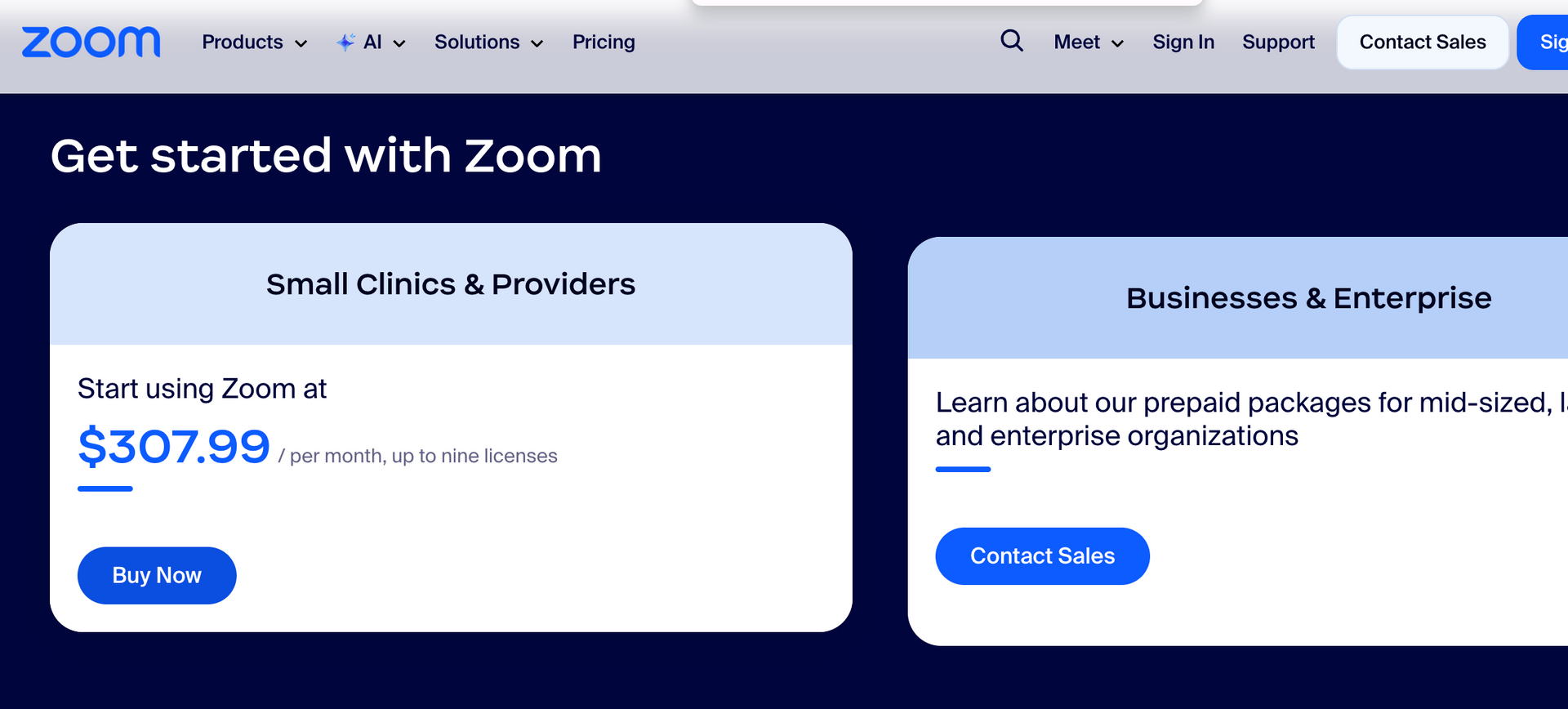
Zoom for healthcare pricing varies depending on the size and structure of your organization.
Solo clinicians often need only a basic healthcare license, while group practices may require additional administrative controls and user seats.
The key is choosing a plan that supports your current stage without overcomplicating your setup.
The future of Zoom for healthcare
As telehealth continues to evolve, Zoom is investing in AI assisted features, clinical documentation support, and enhanced security tools.
These developments point toward a future where technology quietly supports care rather than demanding constant attention.
For clinicians, this means more time in sessions and less time managing systems.
Ready to build a HIPAA compliant online presence that supports your practice and works while you rest
For many therapists and healthcare providers, compliance is where things quietly start to feel heavy. Not because you do not care about doing things correctly, but because no one ever shows you how all the pieces are supposed to work together.
A HIPAA compliant website on its own is not enough.
A secure telehealth platform on its own is not enough.
A scheduling tool without proper integrations is not enough.
What actually creates ease is when your website, your telehealth platform, and your backend systems are intentionally connected.
This is where my work comes in.
Through my website design and SEO services for private practice, I help clinicians build HIPAA compliant websites that are not just informational, but operational. Your website becomes the central hub of your practice, quietly coordinating everything behind the scenes.
We connect your website to a HIPAA compliant Go High Level CRM, creating a secure and automated client journey from the moment someone reaches out. Discovery calls are scheduled directly through your site, automatically connected to Zoom for healthcare, and confirmed with secure appointment links. Reminders are sent without you lifting a finger. Follow ups happen automatically. No shows are reduced because the system is doing the remembering for you.
Instead of juggling tools, copying links, or manually managing bookings, your systems talk to each other.
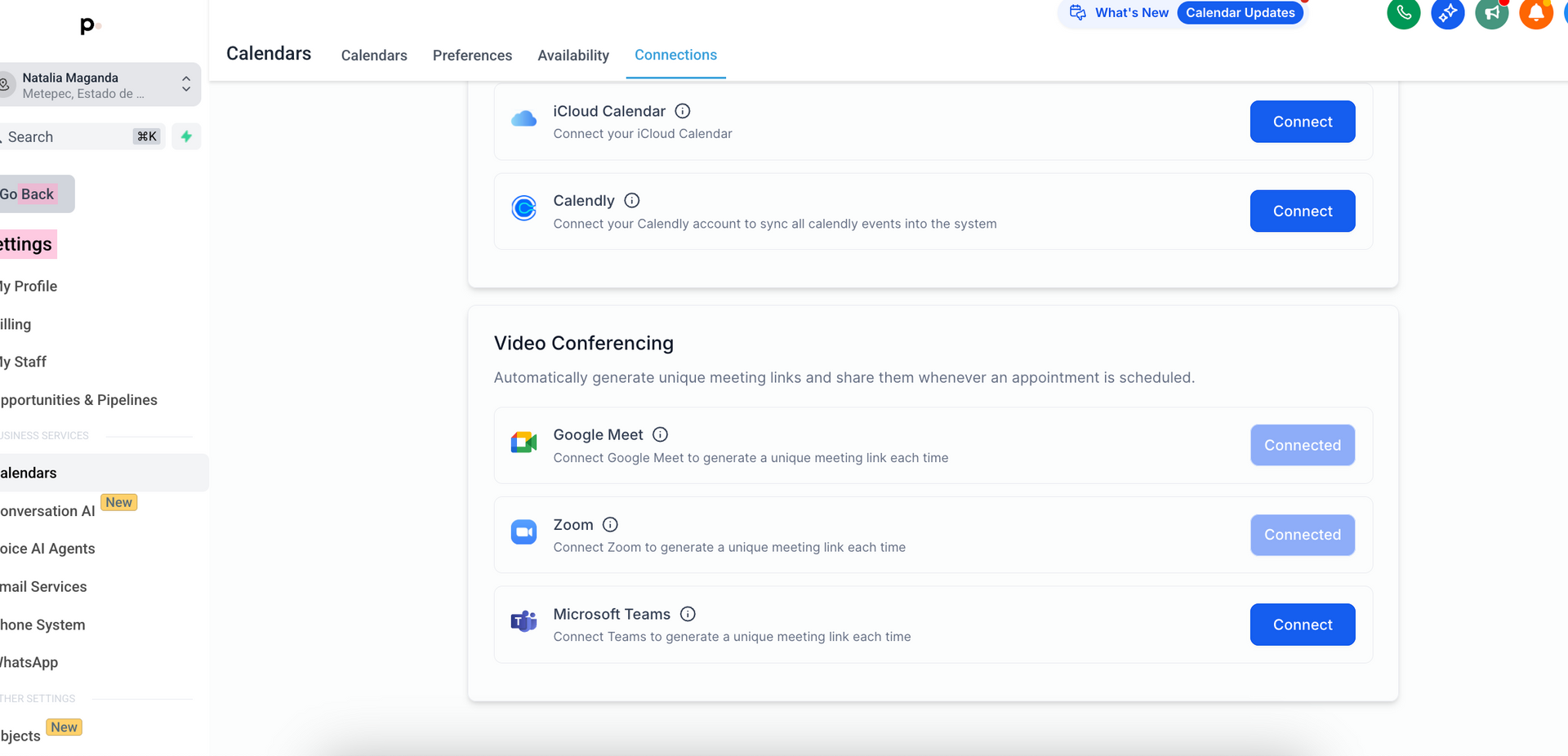
Your discovery calls generate secure Zoom sessions automatically.
Your calendar stays organized without constant checking.
Your clients experience professionalism and safety before they ever meet you.
This level of integration is not about complexity. It is about containment.
When your tools are integrated into your website experience, your practice feels calmer. Your clients feel reassured. And you are no longer carrying the invisible mental load of managing every step manually.
This is what it looks like when compliance, automation, and thoughtful design work together to support your capacity instead of draining it.
Your website becomes more than a digital brochure. It becomes a system that holds your practice steady, even when you are offline. Learn more about creating a HIPAA compliant website here.
Related reads:
- Is Zoom HIPAA compliant? and What I recommend for HIPAA compliance and website systems
- Is Google Meet HIPAA compliant?- What you need to know about your tech systems
- HIPAA compliant website for therapists- How to stay secure without overcomplicating your systems
- What to consider for SEO services for therapists
* AI Disclosure: This content may contain sections generated with AI with the purpose of providing you with condensed helpful and relevant content, however all personal opinions are 100% human made as well as the blog post structure, outline and key takeaways.
* Affiliate Disclosure: Some of the links on www.nataliamaganda.com may contain affiliate links meaning that I will get a commission for recommending products at no extra cost to you.

hello! i'm natalia maganda
The go-to website designer and SEO manager for therapists and private practice professionals that you didn't know existed
After designing 100+ websites for women in many industries, I ended up in the healing world because I believe in the power of emotional work and in supporting the people who support everyone else. Now, I’ve built an online presence that allows me to have more
time to spend with my family, more
income working with fewer clients and
less stress with sustainable marketing systems! And that’s exactly what I want for you. We manage 20+ websites and I’m ready for you to be the next one.